- Category: Coding
- Updated:
Browser-based developer utilities are lightweight tools that run in the browser and solve common formatting, encoding, debugging, and conversion tasks without requiring a local IDE plugin or a full build step. For beginners, that matters because many early web development problems are not about writing large systems. They are about understanding messy API responses, fixing copied code, decoding data, or cleaning values before testing. In practice, these utilities sit between raw input and working output: they take structured data, source code, or encoded text and transform it into a form that is easier to read, validate, or reuse. That makes them some of the most useful free web development tools to bookmark while you learn.
If you are starting to learn web development, you do not need a giant toolbox on day one. You need a few dependable tools that solve the beginner problems you hit every week: unreadable JSON, ugly code pasted from tutorials, weird Base64 strings, and broken URLs with spaces or escaped characters. The best online tools for beginners are the ones that remove friction fast and help you understand what you are looking at.
Why browser-based utilities save you time
When you are new to frontend or full-stack development, a lot of learning time gets wasted on small formatting and debugging tasks:
- an API returns one long JSON blob
- copied JavaScript loses indentation
- an image appears inside a long Base64 string
- a query parameter breaks because of spaces or
%20 - HTML, CSS, or JS is minified and impossible to read
A browser tool helps because it is immediate. You paste input, get output, compare the difference, and move on. There is no package install, no config, no terminal setup, and no need to remember command flags.
That is why free online tools for beginners web development remain useful even after you gain experience. They speed up inspection work and reduce context switching.
Tool 1: JSON formatters help you read API responses
One of the first confusing moments in web development happens when you open an API response and see what looks like a wall of text:
{"user":{"id":42,"name":"Ava"},"roles":["admin","editor"],"active":true}
That response is valid JSON, but it is hard to scan quickly. A JSON formatter adds indentation and structure so you can understand nesting, arrays, objects, booleans, and null values.
Readable JSON matters because beginners spend a lot of time with:
- REST APIs
- fetch requests
- browser devtools network responses
- configuration files
- mock data for testing
If you are learning APIs, a formatter is one of the best web development tools for beginners because it teaches structure at the same time it saves time.
A good workflow is:
- paste the raw API response
- format it for readability
- inspect keys and nested values
- copy the cleaned version into your project or notes
That is also the easiest answer to a common beginner question: what is a code converter? It is any tool that transforms code or structured text from one representation into another form that is easier to read, validate, or reuse. A formatter is one kind of code converter. A minifier, decoder, or encoder is another.
Tool 2: code beautifiers and minifiers fix unreadable code
As soon as you copy code from tutorials, browser output, production bundles, or third-party widgets, formatting becomes a real problem.
Beautifiers
A beautifier reformats code to make it readable. It restores indentation, line breaks, and visual structure. This is helpful when:
- a JavaScript snippet is compressed into one line
- HTML source is hard to scan
- CSS rules are packed together
- copied code from chat, docs, or forums loses indentation
For JavaScript cleanup, use the JS formatter to make pasted snippets easier to read and debug.
Minifiers
A minifier does the opposite. It removes whitespace, comments, and formatting to make code smaller for production use. That is useful when you start learning about page speed, deployment, or frontend optimization.
You can use:
- JavaScript minifier for shrinking JS before deployment
- HTML minifier to reduce markup size
- CSS minifier to compress stylesheets
Here is a simple before-and-after JavaScript example.
Readable version:
function greet(name) {
  const message = "Hello, " + name + "!";
  return message;
}
Minified version:
function greet(e){return"Hello, "+e+"!"}
Both versions do the same thing. The first is for humans. The second is for shipping.
For beginners, learning the difference between beautifying and minifying is one of the most practical lessons in modern web development.
| Tool type | Purpose | Best time to use it |
|---|---|---|
| Formatter / Beautifier | Make code readable | Debugging, learning, inspecting pasted code |
| Minifier | Make code smaller | Production builds, embeds, performance tuning |
Tool 3: Base64 decoders reveal hidden data in code
Base64 shows up early and often in web development, usually before beginners know what it is. You may see it in:
- inline images in HTML or CSS
- auth tokens and test payloads
- email or API data
- encoded config values
- browser storage values
A Base64 string looks like random text, but it often represents bytes or readable text underneath.
For example, this binary string:
01001000 01100101 01101100 01101100 01101111 00100001
means:
Hello!
That directly answers another beginner FAQ from search: What does 01001000 01100101 01101100 01101100 01101111 00100001 mean? It is the binary representation of the ASCII text Hello!.
A decoder matters because beginners often paste data without knowing whether it is:
- plain text
- binary represented as text
- Base64
- escaped JSON
- URL-encoded characters
When you can decode the data quickly, the learning curve gets much smaller.
Tool 4: URL encoders and decoders fix broken links
URLs look simple until values contain spaces, punctuation, ampersands, slashes, or Unicode characters. Then beginners start seeing values like:
hello world → hello%20world
This is normal URL encoding. Browsers and servers need certain characters to be escaped so the address remains valid and unambiguous.
You will run into this when working with:
- query strings
- search filters
- redirect parameters
- API endpoints
- form submissions
- copied links from apps or emails
A URL encoder/decoder helps you answer questions like:
- why did my space turn into
%20? - why is
&breaking my query string? - why does copied text not match the value sent to the server?
For beginners, this is one of the best online tools beginners web development articles should always include, because URL bugs are common, confusing, and easy to fix once you can inspect the encoded form.
Tool 5: sitemap and utility pages help you build a bookmarkable toolkit
When you are learning web development, you do not yet know which utility you will need next week. That is why it helps to keep a central tools page bookmarked rather than relying on random search results every time.
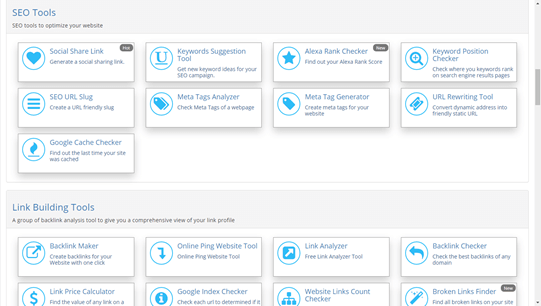
Coderstool works well as a “Swiss Army knife” style toolkit because it covers many of the repetitive transformations beginners hit while learning HTML, CSS, JavaScript, APIs, and browser debugging. If you want a starting point for exploring more free web development tools, browse the Coderstool sitemap and build your own shortlist of utilities to revisit.
A simple beginner workflow
Here is a realistic sequence many new developers follow while building a first project:
- Fetch data from an API.
- Format the JSON to understand the response.
- Paste a copied snippet into a formatter so the code is readable.
- Decode a Base64 value hidden in a data URL or response.
- Fix a query string using a URL encoder or decoder.
- Minify HTML, CSS, or JS once the page is ready to publish.
That is why the best web development tools for beginners are not the fanciest ones. They are the small utilities that solve common browser problems immediately.
FAQ
What is a code converter?
A code converter is a utility that transforms code or text from one form into another. Examples include JSON formatters, Base64 decoders, URL encoders, and minifiers.
Are free web development tools good enough for beginners?
Yes. For beginners, browser-based tools are often ideal because they remove installation friction and let you focus on understanding the input and output.
Do I need these tools if I already use VS Code?
Yes. Editors are great for writing code, but browser utilities are still useful for quick formatting, decoding, validation, and one-off debugging tasks.
Are minifiers the same as formatters?
No. A formatter makes code easier to read. A minifier makes code smaller for production.
What should a beginner bookmark first?
A JSON formatter, a JavaScript formatter, a JS/HTML/CSS minifier, a Base64 decoder, and a URL encoder/decoder are strong first picks.
Bookmark your toolkit
If you want to learn web development faster, keep your browser toolkit simple and practical. Start with tools that help you inspect data, clean code, decode strings, and repair URLs. Those are the repetitive tasks that slow beginners down the most.
The fastest way to build momentum is not to memorize every format on day one. It is to keep the right utilities within reach, use them often, and learn the patterns as you go.