- Category: Coding
- Updated:
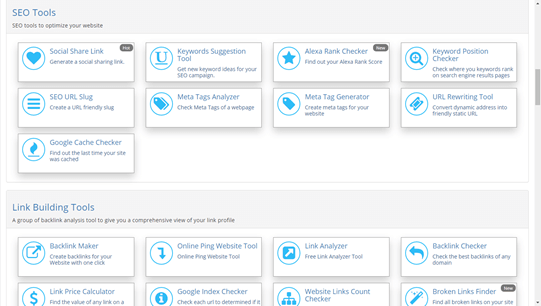
When a site is down, slow, pointing to the wrong server, or showing stale content after a migration, the first question is usually simple: who is hosting this domain, and where is the traffic actually going? A proper domain hosting check helps you answer that quickly by looking at nameservers, DNS records, resolved IP addresses, and server reachability. For webmasters, sysadmins, and freelance developers, this is not just a curiosity check. It is a core troubleshooting workflow.
Technically, a domain hosting check is a lookup process that combines DNS resolution, nameserver delegation, IP mapping, and sometimes WHOIS or RDAP registration data to determine how a domain is configured and which infrastructure is serving it. It does not always reveal the exact physical hosting provider, but it usually reveals enough to diagnose routing problems, propagation delays, CDN masking, or misconfigured records.
Check hosting instantly
The fastest way to start is with a browser-based hosting checker or related network lookup tools. A good domain host check should help you answer questions like these:
- what IP address does this domain resolve to
- which nameservers are authoritative
- is the site reachable from the public internet
- does the resolved IP match the expected environment
- is the problem DNS-related, hosting-related, or server-related
For a direct lookup, use the domain hosting checker. If the issue looks more like uptime or response failure, pair that with check server status or website availability. That combination is often enough to separate DNS problems from actual service outages.
What a domain hosting check actually tells you
A domain hosting check is not one single lookup. It is a bundle of related facts.
| Signal | What it tells you | Why it matters |
|---|---|---|
| Nameservers | which DNS provider is authoritative | helps identify where DNS changes must be made |
| A record / AAAA record | the IPv4 or IPv6 destination for the hostname | shows where the site is supposed to resolve |
| CNAME | whether a hostname aliases another hostname | common with CDN, SaaS, and verification setups |
| MX records | where email for the domain is routed | useful for mail-related incidents |
| Resolved IP | current public address returned by DNS | confirms whether traffic points to expected infrastructure |
| HTTP reachability | whether the web service responds | distinguishes DNS success from application failure |
A records and IP resolution
An A record maps a hostname to an IPv4 address. An AAAA record does the same for IPv6. If example.com points to the wrong IP, the website may resolve correctly but still land on the wrong server.
Nameservers
Nameservers tell you which DNS provider is authoritative for the domain. If you change a record in one dashboard but the domain uses different nameservers, your change will never take effect publicly. This is one of the most common causes of “I updated DNS but nothing changed.”
CNAME records
A CNAME maps one hostname to another hostname rather than directly to an IP. These are common for www, CDN onboarding, verification subdomains, and some SaaS routing patterns.
Server status
Even if DNS is correct, the target server may still be down, overloaded, firewalled, or misconfigured. That is why hosting checker tools should be used alongside status checks and simple network probes like ping check.
How to find out who hosts a website
The phrase “who is hosting my domain” sounds straightforward, but there are levels to the answer.
Method 1: check DNS and resolved IP
Start by resolving the domain. If the A record points directly to an IP owned by a hosting company or cloud provider, that may strongly suggest where the site is hosted.
Method 2: inspect nameservers
If the nameservers belong to a managed DNS provider, registrar, or website platform, that tells you where DNS control lives. It does not always tell you where the web server lives, but it narrows the infrastructure map.
Method 3: use WHOIS or RDAP
WHOIS and RDAP primarily expose registration information, registrar details, and sometimes nameserver data. They are useful, but they do not reliably reveal the live web hosting provider.
Method 4: inspect HTTP headers and CDN clues
Sometimes the returned headers or IP ownership suggest a provider, but reverse proxies can obscure that completely.
CLI methods: whois, dig, and nslookup
Browser-based tools are efficient, but command-line lookups are still essential for deeper troubleshooting.
dig
dig is often the cleanest DNS investigation tool on Unix-like systems.
dig example.com A
dig www.example.com CNAME
dig example.com NS
dig example.com MX
Useful interpretation:
Ashows the IPv4 destinationNSshows authoritative nameserversMXshows mail routingCNAMEshows alias chains
To query a specific DNS resolver:
dig example.com A @8.8.8.8
That is useful when comparing resolver behavior during propagation.
nslookup
nslookup is more commonly available on Windows and still useful for fast checks.
nslookup example.com
nslookup -type=NS example.com
nslookup -type=MX example.com
This is often enough for a quick website hosting checker workflow when you just need to confirm whether a hostname resolves and where.
whois
whois example.com
Use this to inspect registrar data, nameservers, and registration metadata. Treat it as a registration lookup, not a guaranteed hosting detector.
DNS propagation: why your site is still down
One of the most common support scenarios is: “I changed DNS, but the site is still down.” In many cases, the site is not down at all. Different resolvers are simply returning different answers during propagation.
What TTL means
TTL stands for Time To Live. It tells resolvers how long they may cache a record before asking again.
Lower TTL usually means faster visible DNS changes, but only after resolvers refresh cached data.
Changing a record does not instantly invalidate every cache on the internet.
If you moved a domain from one IP to another, some users may reach the old server while others reach the new one until caches expire.
Common propagation symptoms
- one device can load the site, another cannot
- mobile works but office Wi-Fi does not
wwwworks but apex domain does not- website loads, but email breaks
- SSL looks correct on one network and wrong on another
These are classic indicators that DNS, not application code, may be the real issue.
Why a site may appear to hide its hosting provider
Yes, a site can partially hide its hosting provider. The most common reason is a reverse proxy or CDN such as Cloudflare. In that setup, public DNS may resolve to the proxy network rather than the origin server. That means a website hosting checker may reveal the edge provider but not the actual backend host.
This matters when users assume a domain host check should always reveal the exact server company. Often it cannot, because the real origin is intentionally abstracted away behind:
- Cloudflare or another CDN
- load balancers
- WAF or reverse-proxy layers
- managed platform routing
- anycast edge networks
In these cases, the public answer is still useful. It tells you the current traffic path and what infrastructure layer is exposed to the internet.
A practical hosting troubleshooting workflow
When a website breaks after a migration, update, or DNS change, use this sequence:
- check the domain’s nameservers
- resolve the A and AAAA records
- compare the returned IP to the expected server
- check whether
wwwand apex behave differently - confirm HTTP reachability and status
- inspect TTL and consider propagation delay
- check whether a CDN or proxy is masking the origin
That process is faster and more reliable than jumping straight into application logs before confirming the domain is even pointing where you think it is.
FAQs
What is the best domain hosting check tool free?
The best free domain hosting check tool is one that shows nameservers, DNS resolution, and current IP targets clearly. For real troubleshooting, it should also work well alongside server-status and availability checks.
Who is hosting my domain?
Usually, you can infer this by checking the resolved IP, nameservers, and public infrastructure path. But if the site is behind Cloudflare or another reverse proxy, the visible provider may be the proxy layer rather than the true origin host.
Can a hosting checker tool always identify the real host?
No. Reverse proxies, CDNs, managed platforms, and load balancers can obscure the backend host. A public lookup can still show the DNS and edge path, which is often enough for debugging.
What is the difference between domain registration and hosting?
Registration is ownership and control of the domain name through a registrar. Hosting is where the website, app, or service actually runs. DNS connects the two.
Why is my site still down after changing DNS?
The most common reason is propagation delay caused by caching. Check TTL, compare results from different resolvers, and confirm the new records are actually published at the authoritative nameservers.
Does checking domain hosting also check email hosting?
Not automatically. Website hosting and email hosting can be completely separate. To diagnose email routing, inspect MX records specifically.
Final takeaway
A domain hosting check is really a DNS and infrastructure check. It tells you where a domain points, which nameservers control it, what IPs are being returned, and whether the public service path looks healthy. That makes it one of the most useful first steps when debugging outages, migrations, SSL issues, propagation delays, or “wrong server” incidents. Start with the domain hosting checker, then validate reachability with check server status or website availability to complete the picture.